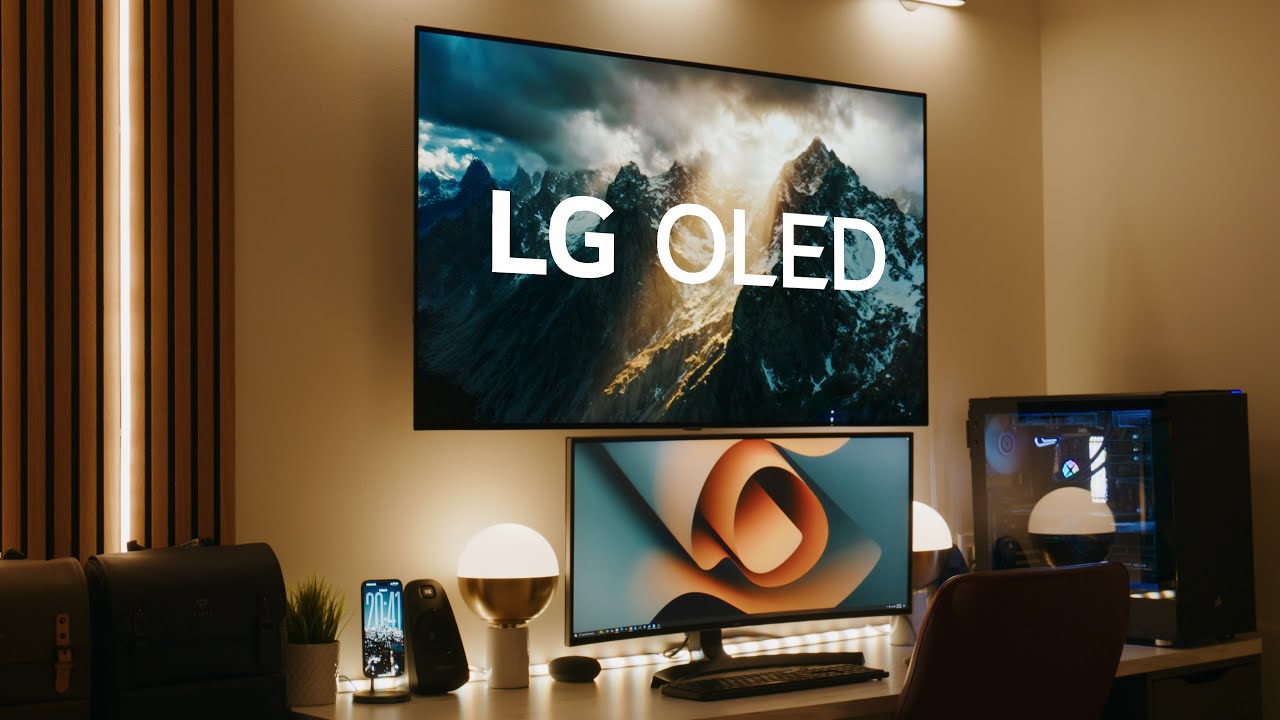
After four years of owning the LG C1 OLED, I can confidently say that everything people warned you about is true. This TV spoils you. It ruins the viewing experience on almost every other display. But in a world driven by constant tech upgrades and consumer pressure, that is not necessarily a bad thing.
In 2025, I still find myself walking into places like Best Buy and feeling completely indifferent toward whatever the latest TV lineup is. After all these years, I am still genuinely excited to watch content on this display. Whether it is a new movie, a TV show, or even a YouTube video on my phone, I still catch myself thinking, “I wonder how that would look on my LG C1 OLED.”
That feeling has not gone away, and that says a lot.
Why I Bought the LG C1 OLED in the First Place
I originally purchased the LG C1 OLED back in November of 2021 for one very specific reason. I needed an HDR mastering display.
In simple terms, a mastering display is a color-accurate monitor used in cinematography, post-production, color grading, and color correction. These displays are designed to show you exactly what your footage looks like so that creative decisions are intentional and consistent across devices.
The reason I chose the LG C1, and why I would likely stick with LG OLED panels if I upgraded in the future, comes down to price to performance. Even in 2025, most HDR monitors marketed toward creators are still capped at HDR 600. That means a maximum sustained brightness of around 600 nits in a small window.
My LG C1 comfortably hits around 750 nits, and with some service menu adjustments, it can push closer to 850 nits, similar to the G1 panel. For the type of HDR work I do, that range is more than enough.
HDR Performance, Brightness, and Why OLED Still Wins
Professional mastering displays can cost an absurd amount of money. While they offer solid contrast ratios, most of them are still LED panels. I will admit that I am biased toward OLED technology. I love deep blacks.
With OLED, you are getting an infinite contrast ratio. Even some entry-level professional mastering displays cap out around a million-to-one contrast ratio. That difference matters when you are working in HDR and making decisions based on shadow detail, highlight rolloff, and overall image depth.
For my use case, the LG C1 was a no-brainer. I was getting near-1000-nit performance, infinite contrast, HDR calibration support, and a display that simply looks incredible.
How I Calibrated the LG C1 for Professional Color Work
My LG C1 setup is very intentional.
Each HDMI port is assigned a specific color space. One for Rec.709, one for HDR Rec.2020, one for HDR P3, and one for Dolby Vision. I force this HDMI signaling by hovering over the picture profile I want to calibrate and entering 11311 on the remote.
This opens the hidden colorimetry menu and allows me to select the exact color parameters I want to calibrate against. That way, my TV and calibration software are always working in sync.
This setup gives me peace of mind. I know that when I switch HDMI ports, I am getting the correct color space every single time. Whether I am consuming content or grading footage, the viewing experience remains accurate and consistent.
I also have a full calibration guide linked that walks through this entire process step by step.
Using the LG C1 as a True HDR Mastering Display
After four years, how has the LG C1 held up as a mastering display?
Honestly, it has been a dream.
There is nothing more satisfying than grading footage in HDR and seeing it displayed exactly as intended. After years of working on this panel, I know that I have done everything possible to ensure color accuracy. Once footage leaves my studio, whatever happens beyond that point is outside of my control, and that is true with any display.
As long as I respect my color space, calibration profile, and the maximum nit value of the panel, playback across devices remains consistent.
My Workflow: DaVinci Resolve, DeckLink, and Clean Video Output
To get a clean signal from DaVinci Resolve to the LG C1, I use a DeckLink card installed in my PCIe slot. This bypasses my computer’s color management entirely and sends a direct video feed to the TV.
I am not grading on the graphical user interface of the TV. My monitor handles the UI, while the LG C1 displays only the video feed. This separation is critical. It prevents the operating system from interfering with color accuracy and ensures the TV is working strictly within its calibrated profile.
If you are serious about color work, this step matters more than most people realize.
Everyday Use After 4 Years
Outside of work, the LG C1 has been incredible for everyday use. webOS still feels smooth, responsive, and fast. Apps load just as quickly now as they did out of the box.
I genuinely do not want to watch movies or TV shows on anything else. My viewing ranges from Apple TV and streaming platforms like Severance and The Morning Show to YouTube content. As a creator, it is almost frustrating going to someone else’s house and thinking, “This is not how this show is supposed to look.”
HDR and Dolby Vision content remains the standout experience. While YouTube’s HDR support could be better, HDR playback on this TV is still exceptional.
Gaming on the LG C1 OLED
I am not an esports gamer, but I do enjoy gaming as a way to unwind. Titles like Flight Simulator and Destiny 2 feel fantastic on this display.
Input lag sits around five milliseconds, which is excellent for a TV. Built-in VRR and G-Sync support allow the panel to work seamlessly with a graphics card, and the 120Hz refresh rate makes high-FPS gaming feel smooth and responsive.
That said, if you are a competitive esports gamer chasing ultra-high refresh rates, this may not be the right display. At 120Hz, the LG C1 shows its age compared to newer panels and monitors pushing 240Hz. For me, that limitation has never been a dealbreaker.
Build Quality, Burn-In, and Long-Term Reliability
One of the first things people notice is how thin the panel is. It adds a clean, modern look to the space and works beautifully as a backdrop for content creation.
The thin bezels make it feel like a picture frame in gallery mode, which is useful when I want something displayed without leaving the screen off entirely.
As for burn-in, I have not experienced any issues. I do not baby this TV, but I also treat it with care. Even with static images used for YouTube content, burn-in has not affected my viewing or grading experience.
Final Thoughts: Do I Regret Buying the LG C1 OLED in 2025?
Not for a second.
The LG C1 OLED has completely spoiled me. It remains my favorite TV in the house, and several other panels are being replaced with LG OLEDs as a result.
Since this TV is now four years old, I am cautious with recommendations. That said, I believe I have shared enough here for you to decide whether it still fits your needs.
Do I regret the purchase? No.
Am I actively looking to upgrade in 2025? Also no.
And honestly, that is a really good place to be in the tech world.